Introduction
A notification system is essential for modern applications, providing timely updates like product notifications, events, offers, and alerts. Notifications can be sent through:
- Push notifications (mobile or desktop),
- SMS messages, and
- Emails.
The chapter focuses on designing a scalable system capable of sending millions of notifications daily.
Step 1: Understanding the Problem
Requirements
- Notification Types: Push notifications, SMS, and Emails.
- Delivery: Soft real-time system with minimal delays.
- Platforms: iOS, Android, and desktop.
- Triggers: Notifications can be triggered by client applications or scheduled on servers.
- Scale:
- Push Notifications: 10 million/day,
- SMS: 1 million/day,
- Emails: 5 million/day.
- Opt-out Support: Users can disable specific notification types.
Step 2: High-Level Design
Components
Notification Types:
- iOS Push Notifications: Use Apple Push Notification Service (APNS).
- Android Push Notifications: Use Firebase Cloud Messaging (FCM).
- SMS Messages: Third-party services like Twilio or Nexmo.
- Emails: Commercial email services like SendGrid or Mailchimp.
Contact Info Gathering:
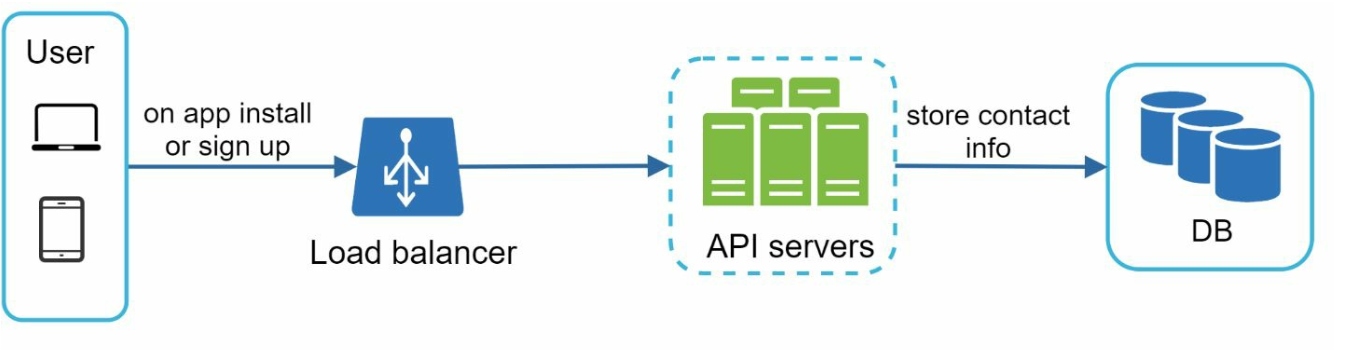
- Collect device tokens, phone numbers, or email addresses during app installation or signup.
- Store contact info in the database:
- Device Tokens Table: For push notifications.
- User Table: For emails and phone numbers.
Notification Sending Flow:
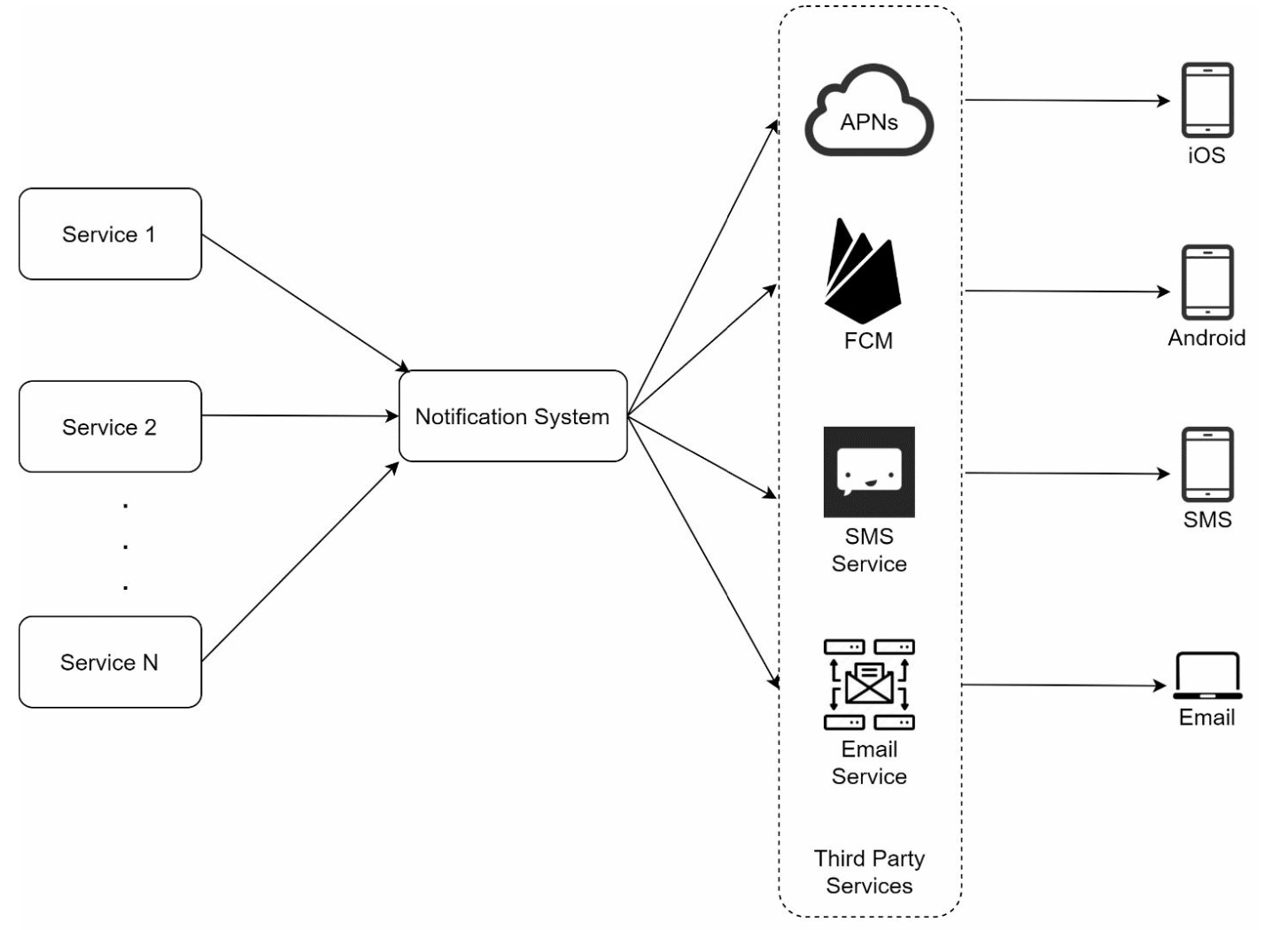
- Trigger Services:
- Generate events to initiate notifications (e.g., billing reminders, shipping updates).
- A service can be a micro-service, a cron job, or a distributed system that triggers notification sending events.
- Notification Server:
- Provide APIs for services to send notifications.
- Carry out basic validations to verify emails, phone numbers.
- Query the database or cache to fetch data needed to render a notification.
- Third-Party Services: Deliver notifications to users.
- Trigger Services:
Challenges in Initial Design
- Single Point of Failure (SPOF): One notification server can crash the entire system.
- Scalability Issues: Hard to scale databases, caches, and processing components independently.
- Performance Bottlenecks: High resource demands for sending notifications.
Improved Design
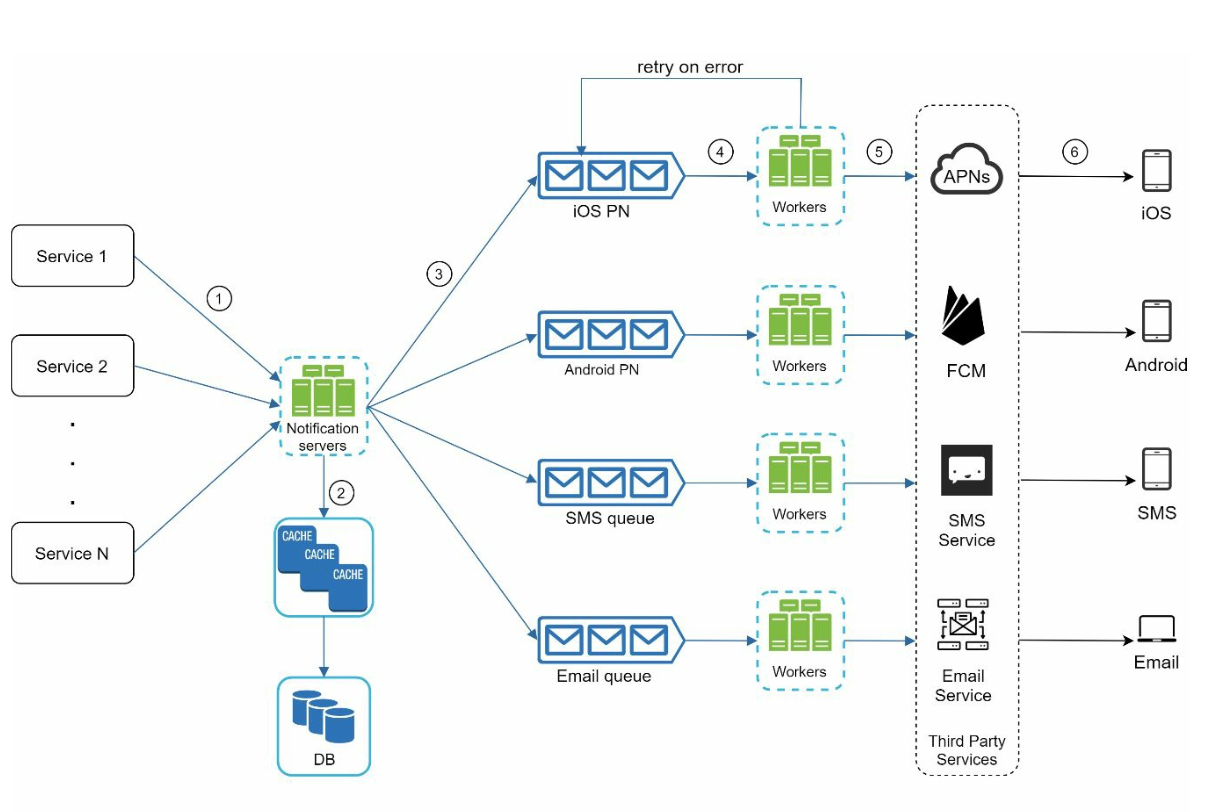
- Move databases and caches out of the notification server.
- Introduce horizontal scaling with multiple notification servers.
- Use message queues to decouple system components.
- Message queues serve as buffers when high volumes of notifications are to be sent out.
- Add workers that pull notification events from message queues and send them to corresponding third party services.
Step 3: Design Deep Dive
Reliability
Prevent Data Loss:
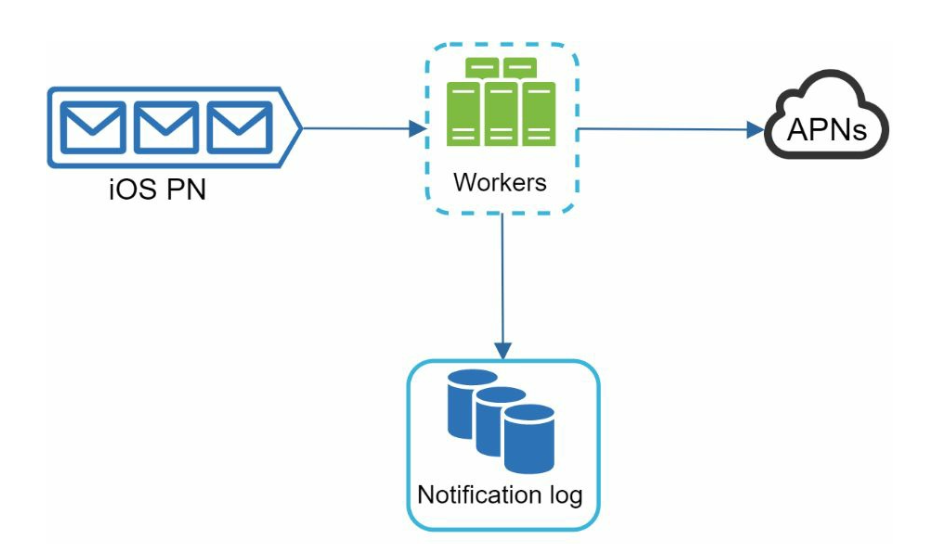
- Persist notification data in a database and implement a retry mechanism.
- The Notification log database is included for data persistence.
Deduplication:
- Check event IDs to avoid sending duplicate notifications.
- When a notification event first arrives, check if it is seen before by checking the event ID. If seen before discard it, otherwise send out the notification.
Additional Components
- Notification Templates: Preformatted templates for consistent and efficient notifications.
- Notification Settings:
- Users can opt-in or opt-out for specific channels (push, SMS, or email).
- Stored in a dedicated notification settings table.
- Rate Limiting: Cap the frequency of notifications sent to users.
- Retry Mechanism: Retry sending notifications if third-party services fail.
- Monitoring Queues: Track queued notifications to scale workers dynamically.
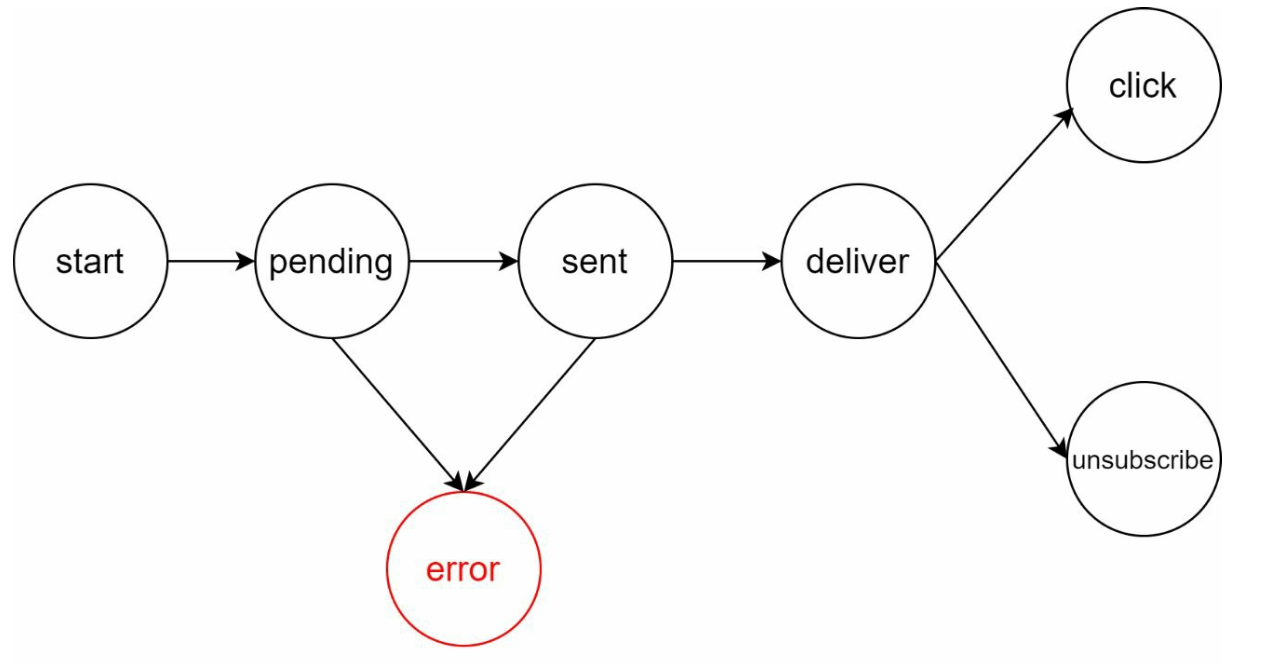
- Event Tracking: Collect metrics like open rate, click rate, and engagement.
Security
- Use AppKey and AppSecret to authenticate and secure APIs for push notifications.
Notification Flow
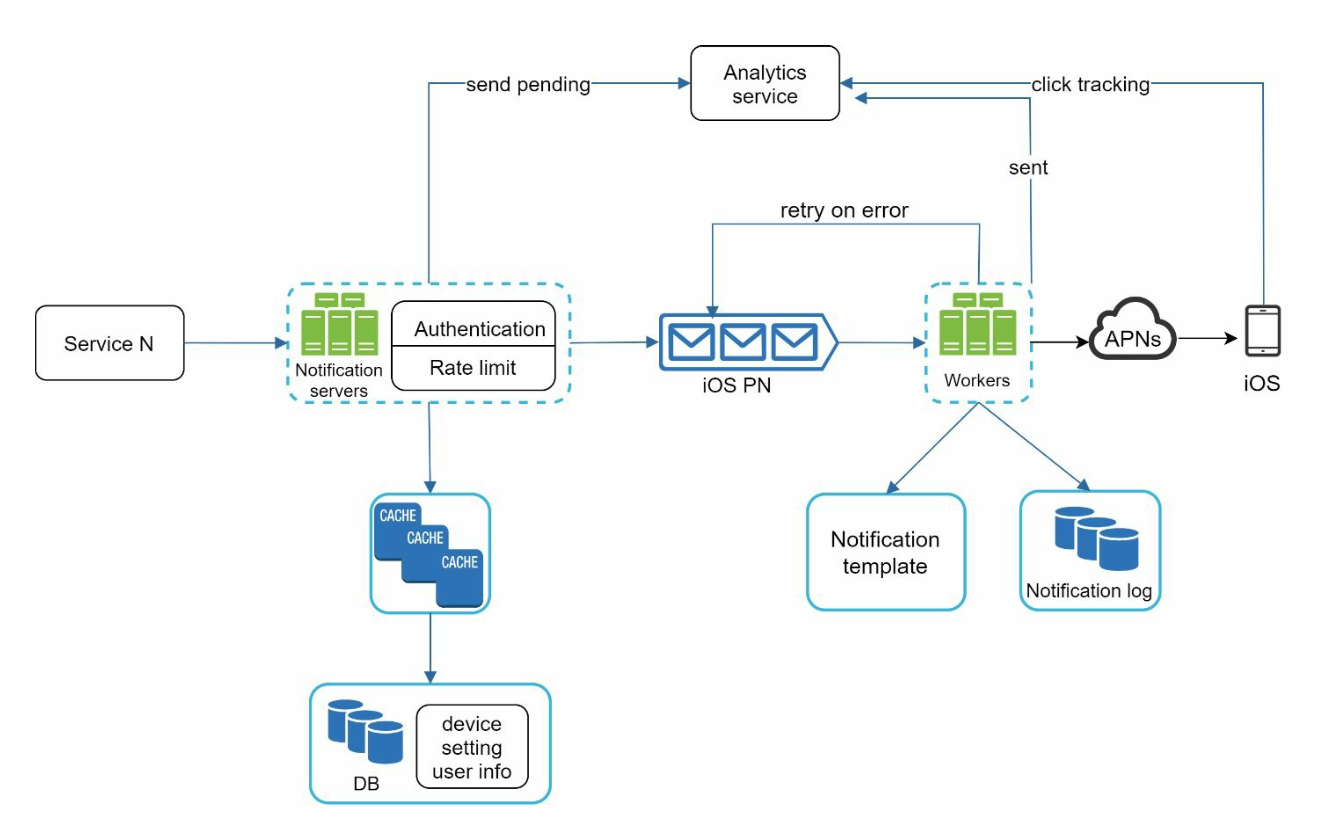
- Trigger services call APIs to send notifications.
- Notification servers validate requests and fetch metadata from caches or databases.
- Notification events are sent to message queues.
- Workers process events and interact with third-party services.
- Third-party services deliver notifications to users.
Key Optimizations
- Horizontal Scaling: Add more notification servers for load distribution.
- Message Queues: Decouple processing to handle high volumes.
- Caching: Reduce latency by caching frequently accessed data.
- Distributed Crawling: Optimize message delivery geographically for better performance.